
Static courses are dead.Learning isn't.
People get instant answers from AI for free now, so most courses feel like the long, expensive route.
We help academies add AI practice to their courses, so they stand out from competitors and sell at premium prices.
Two ways to do it:
- AI Playground
- Adaptive Course

You know how it goes.
- Your course looks the way courses looked ten years ago: videos, PDFs and a quiz.
- Students buy the course, watch two videos and disappear.
- People click "next" until the certificate appears.
- Everyone gets the same generic examples, which fit nobody's real life, so nothing gets used on Monday morning.
The course isn't broken because the content is bad.
It's broken because it treats everyone the same.
learners who intended to finish an online course didn't. Across about 250,000 learners in roughly 250 Harvard, MIT and Stanford courses, only around 20% of those who planned to complete actually did.
Source: Kizilcec et al., "Scaling up behavioral science interventions in online education", PNAS (2020)of employees apply the new skills they learn in company training programs to their jobs.
Source: "Where Companies Go Wrong with Learning and Development", Harvard Business Review (2019)In the age of AI, a video and a quiz won't cut it.
AI can explain anything. So why would anyone pay for a course that just explains?
Anyone can ask an AI to explain negotiation, leadership or Excel in seconds. Information is free now, and a course that only delivers information is competing with a chatbot.
What AI can't do on its own is make sure your people learn your method, practise it in their reality, and meet your standard.
That's what we build: practice where your learners use your method in their own reality, guided by an AI that knows each of them, and measured against your rubric.
The idea
Same content. Different experience.
One standard.
We get to know each learner first: who they are, their context, what they're trying to do, and what they already know. Every scenario and example then uses their world, while the content and the standard stay yours.
A salesperson and a nurse take it together.
Each gets examples from their own day.
A beginner and a senior take it together.
Each gets practice at their own level.
Why it's fair
The AI coaches.The rubric decides.
Every course has a clear rubric: the skills that matter and exactly what "good" looks like for each one.
- The AI gives feedback based on the course content and the rubric we set.
- Learners see exactly which criterion they missed and why, then try again until they master it.
A personal tutor for every learner, and one fair standard for all of them.

What this does for you.
Up to speed with today.
Today people learn by asking, trying and getting instant answers. Your course catches up: learners practise, get feedback and see examples from their own world, not just videos and a quiz.
A premium your competitors don't have.
A unique selling point that justifies higher prices. Sell it as an upgrade or build it into your price.
Proof your method works.
See each learner's progress and readiness on the subject. Reports for corporate clients, proof for your testimonials.
Less coaching time for tutors.
The AI gives the first round of feedback against your rubric, so coaches spend their time on the conversations that need a person.
Two ways to do it.
AI Playground
Keep your course where it is: on Kajabi, Skool, LearnWorlds or your LMS. We build an AI practice space where your students rehearse what you teach and get feedback against your rubric.
Sell it as a premium add-on of your current course or a separate offer.
Already have AI tools in your LMS, like TalentLMS? If they fit your goals, we design the practice right there.
- Your course
- Stays where it is
- What we build
- AI practice and feedback
- Best for
- Adding a premium tier, fast
Adaptive Course
We rebuild your full course on our platform: personalised lessons, AI practice and progress tracking, all in one place.
- Your course
- Rebuilt on our platform
- What we build
- Every lesson, adapted to each learner
- Best for
- A complete upgrade
How it works
Got material? Great.
Don't? We'll build it.
Send us what you have.
A book, braindumps, slides, PDFs, recorded talks, a messy Google Drive, or just an idea and your expertise.
We design it.
The practice or the full course, the skills that matter, and the rubric. You approve everything; nothing goes live without your OK.
We make it yours.
Your logo, your colours, your voice.
Your learners get practice that feels made for them.
Because it is.
Who it's for
If you know something worth teaching, we can turn it into training.
- Academies that want to stand out from every other video course.
- Companies that want training people actually apply, not just complete.
- Creators and coaches turning their method into a premium experience.
- Authors turning a book into a hands-on training program.
- You name it!
Inside a lesson
Built from blocks.
Some of them think.
 Adaptive
Skill Diagnostic
A quick check at the start shows what each learner already knows. Areas they've mastered become optional, and the course points them to the lessons they actually need.
 AI
Living Videos
Animated presentation videos in your brand, with voice-over in multiple languages. Change a line and the video updates. No re-shooting, no editor.
Also: embed any video you already have, from YouTube, Vimeo, Drive or MP4.
 AI
Chat Role Play
Learners practise chatting with AI (a tough lead, a hard comment, etc.), then get a debrief on how they did.
 AI
Calls that talk back
Learners pick up the call and role-play out loud with an AI character: a job interview, a sales call, a client who wants to end the conversation.
 AI
Exercises made for each person
Scenarios built around the learner's own situation, not a generic case study they can't relate to.
 AI
Examples from their world
The same concept, explained through the learner's job, industry and goals.
 AI
Fill in the form
Learners complete a table or a form. Every entry is checked against the answer key, and open-ended answers are assessed by the AI against the course rubric.
 AI
Review documents
Learners upload or write a document (a CV, a plan, a script, an exercise) and the AI reviews it against what the course taught. Detailed feedback, without needing a tutor's time.
 AI
Feedback just for you
Specific feedback on every answer, criterion by criterion, and another chance to get it right.
 Classic
Plus the classics
Try it yourself.
Below there's an AI Playground demo (an add-on to the course you already have) and two Adaptive Course demos (the whole course rebuilt to adapt to each learner). All three are short samples, not complete programs.


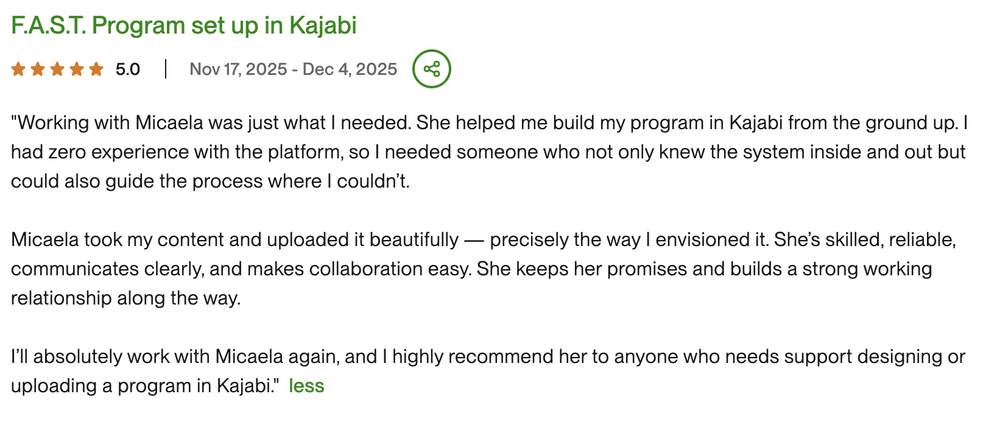
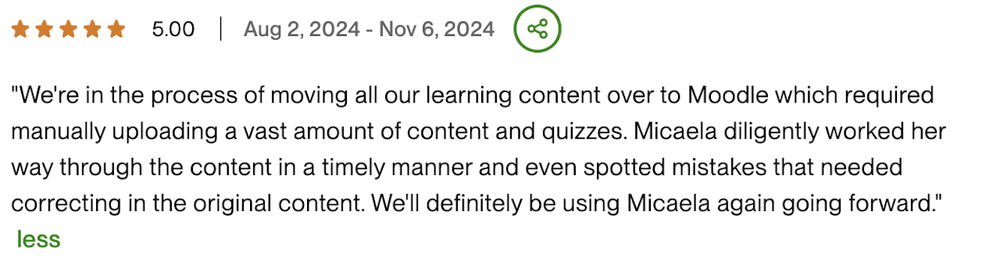
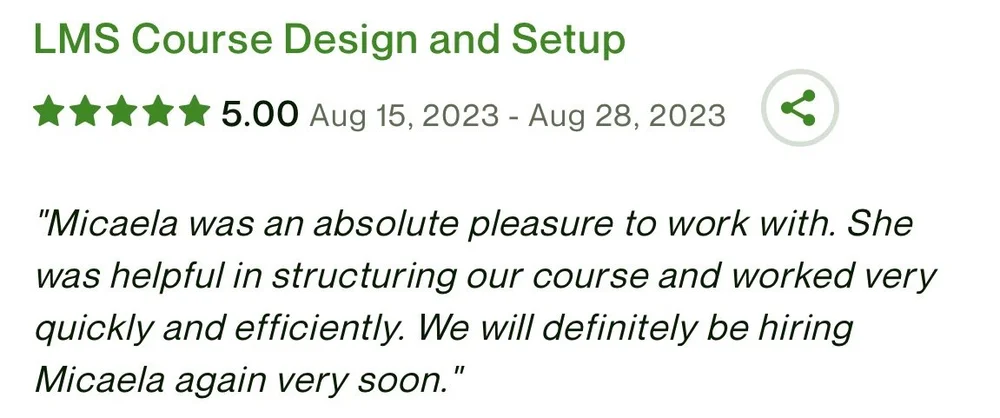
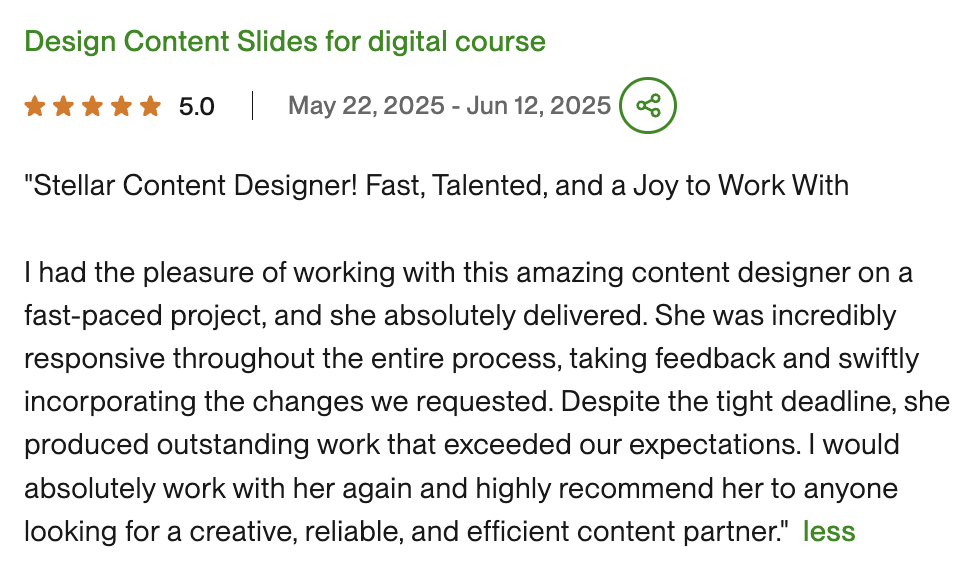
What clients say
Course creators trust us with their courses.
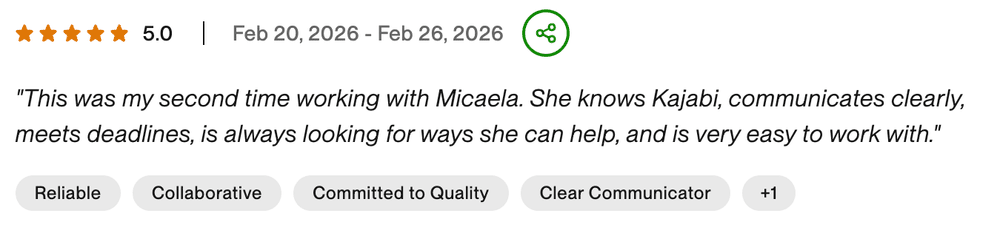
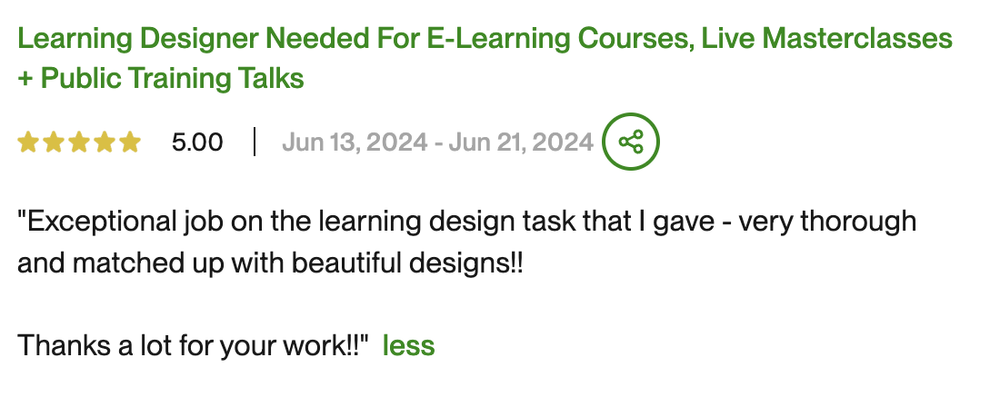
We've spent years designing and building courses for creators, coaches and teams. Here's what they say about working with us.



Works where you are
Your platform, ours, or none at all.
SCORM files
Add the practice or the course to your LMS with a SCORM file. Upload it once and your learners take it right there, with completion, scores and time tracked in your LMS.
Connect Your Platform
Connect your store or your own systems. Or use our API to connect your HR system or intranet: people get enrolled when they join, and their progress flows back to you.
Personal Links
No platform? No problem. Each learner gets a personal access link: no app to install, no password to remember. You get a report with everyone's progress.
Not another course.
Information is everywhere nowadays. Anyone can get an answer in seconds.
Your learners get your method, practice that fits their world, and AI feedback from your perspective.
Frequently asked questions
How much does it cost?
The AI Playground and the Adaptive Course are quoted separately. The Playground is faster and more affordable to build, since your course stays as it is. Pricing has two parts:
- Design and build (one-time). We design your practice or your full course: scenarios, lessons, the rubric and branding. The price depends on the size of the project and how much material you already have.
- Learner seats. Every learner gets their own AI tutor, with personal examples, practice and feedback, all generated live for them. That's why this part is priced per learner: you only pay for the people who use it.
If we design the practice inside your LMS's own AI tools, you only pay for the design. Those tools are covered by your LMS plan.
Want a quote?
What if I want to stop paying per learner?
If you have an Adaptive Course, you can switch to the offline version at any time: a SCORM file with all your content, videos and quizzes that lives in your LMS forever, with no subscription needed. It doesn't include the AI features, because those need the AI running live. The AI Playground is AI practice by nature, so it runs on learner seats while you use it.
What if I already have a course on another platform?
Keep it there. The AI Playground works alongside it, so your students practise what you teach without you moving a thing. Want the full experience? We can also rebuild it as an Adaptive Course. And if your LMS already has AI tools, we'll check whether they fit your goals and, if they do, design your practice right inside them.
My LMS already has AI role-play. Why do I need you?
Your LMS gives you the tool. It doesn't know your method. We design the scenarios your learners actually face, the rubric that defines "good", and feedback that teaches your approach, not generic advice.
Can I build the practice or the course myself with your builder?
Not at the moment. Our instructional designers build everything for you: they design the structure, write the scenarios and lessons, create the practice and set the rubric. You review and approve everything before it goes live. You bring the expertise; we turn it into training.
I have an idea for an exercise, but I'm not sure you can build it.
No problem. Tell us your vision or the kind of exercise you have in mind, and we'll work out how to make it happen.
What if I don't have any material?
No problem. We can build your practice or your course from your expertise alone, through a few conversations with you, your team or your subject-matter experts.
Do learners need to create an account or install anything?
No. They either open it inside your LMS or click their personal link.
Can the practice or the course be updated after it's live?
Yes. Content can be updated at any time. If it's running live in your LMS, the changes reach your learners automatically, with no new file to upload.
Can the AI get things wrong or teach something we didn't approve?
The AI doesn't decide what's taught. It's instructed to work only from your content and the rubric you approved, so its examples, practice and feedback stay within your material. It changes how a concept is explained to each learner, never what the concept is or the standard they have to meet. You review every scenario, lesson and rubric before it goes live.
What happens to our learners' data?
We only collect what's needed to personalise the experience: an email or the ID from your platform, the learner's answers about their role and context, their responses and their progress. It's used to run the practice or the course and produce your progress reports, and for nothing else. Personal details and context answers are stored encrypted. You can ask us to export or delete your learners' data at any time.